Make Business Cards In Word - How to Make Your Own Business Cards in Word - How to create a greeting card with microsoft word.
Dapatkan link
Facebook
X
Pinterest
Email
Aplikasi Lainnya
Make Business Cards In Word - How to Make Your Own Business Cards in Word - How to create a greeting card with microsoft word.. Although the layout and margins are preset in microsoft word, you can set them yourself as well. Open microsoft word on your computer and select a blank document. These can be used as guidelines to make modifications and produce your own business card. You can experiment with home printing from word. How to do this varies depending on what program and version you're using.
Standard business card size in the u.s. Free customization on custom business cards! Once selected, a window will. Another way to create the correct information for the business cards is to use vba. Choose our business card template, and open it in word for the web.
How to Make Business Cards in Microsoft Word (with Pictures) from www.wikihow.com Before you sit down to design a greeting card in word, you have to decide whether you want it to be flat like a postcard or a folded card like a hallmark card. In word 2007 or word 2010, click inside one of the business cards, and then click layout under table tools. Free customization on custom business cards! Use a word business card template to design your own customised cards by adding a logo or tagline. Once selected, a window will. In the search bar at the top of the window, search for business cards.. Standard business card size in the u.s. With your word document open, go to the top of screen and click mailings > labels > options.
If you want to make a business card that has text only, you can.
06 is a business card template for word. In the list of categories, click business. You'll just need to know the avery product number of the business cards you're creating. When you click under print business cards you will find numerous. This requires an internet connection. To choose an existing template, select file → new → blank document → business card → print business cards. There's also a template for business card with no logo, for personal or professional use. Choose our business card template, and open it in word for the web. In word 2007 or word 2010, click inside one of the business cards, and then click layout under table tools. A large selection of templates will appear. Their business card templates come with ten cards per sheet. Avery is a common business card paper manufacturer: Older versions of word are slightly different.
The color scheme is black and white with a little touch of gold to make the card look stylish. Easily edit this template to suit your needs. Click to business cards which can be found under office.com templates. Setting the margins for your business cards manually can be tricky. If you want to make a business card that has text only, you can.
How to Make Your Own Business Cards in Word from cms-assets.tutsplus.com If you have word 2007 or a newer version, follow the instructions below to find avery templates built in to microsoft® word. Save time and money by printing your own cards from the comfort of your own computer, using a business card template in word or powerpoint. There's also a template for business card with no logo, for personal or professional use. There's a word form at. Select file > choose new document to start creating your business card. A large selection of templates will appear. To choose an existing template, select file → new → blank document → business card → print business cards. Free customization on custom business cards!
In the business cards catalog, under installed templates, click the design that you want.
In word 2007 or word 2010, click inside one of the business cards, and then click layout under table tools. In some word programs, you'll want to choose mailing from the top menu ribbon, then labels. These can be used as guidelines to make modifications and produce your own business card. Using a powerful word processing programme such as microsoft office word, you can design and print your own business cards, eventually saving invaluable money. All you will need apart from that is a computer with microsoft office word. How to do this varies depending on what program and version you're using. To see the boundaries of the cards in word, make sure that you've made gridlines visible. Despite the increasing dominance of online business tools, the humble business card still has an important role to play. Standard business card size in the u.s. However, basic computer knowledge is a mandatory prerequisite in you plan to print your own business cards. Before you sit down to design a greeting card in word, you have to decide whether you want it to be flat like a postcard or a folded card like a hallmark card. In the business cards catalog, under installed templates, click the design that you want. Setting the margins for your business cards manually can be tricky.
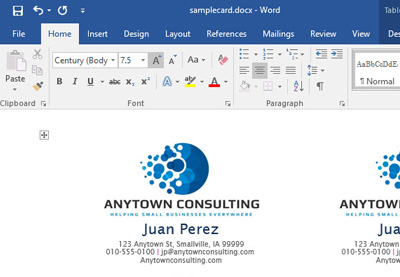
How to use a word table to create a business card. When you open word or publisher, you can then open a business card file and either create your card, or import the design you made elsewhere. You can also use a table to create your own business cards in word. There's also a template for business card with no logo, for personal or professional use. Select 5371 (or one of the other business card templates;
How to Make an Invoice in Word: From a Professional Template from cms-assets.tutsplus.com A large selection of templates will appear. You'll just need to know the avery product number of the business cards you're creating. Create free, custom business card designs. Once you are in a blank document, click the layout menu option. How to do this varies depending on what program and version you're using. If you know that you will be printing on a specific manufacturer's product, scroll to the specific manufacturer's section, and. Although the layout and margins are preset in microsoft word, you can set them yourself as well. In some word programs, you'll want to choose mailing from the top menu ribbon, then labels.
06 is a business card template for word.
All you will need apart from that is a computer with microsoft office word. Is 3.5 inches by 2 inches. In the new ribbon tab, select options and select the product you'll be printing on. With your word document open, go to the top of screen and click mailings > labels > options. There's also a template for business card with no logo, for personal or professional use. 06 is a business card template for word. Start with a template, add your details, and get professional results in minutes. A large selection of templates will appear. Create a brand with this free business card maker. Using a powerful word processing programme such as microsoft office word, you can design and print your own business cards, eventually saving invaluable money. Greeting cards also come in all shapes and sizes from a0 (84.1 x 118.9 cm) to a10 (2.6 x 3.7 cm). Although the layout and margins are preset in microsoft word, you can set them yourself as well. Despite the increasing dominance of online business tools, the humble business card still has an important role to play.
Terdapat 2 jenis surat elektronik komersial yaitu . Jenis email adalah dapat dibedakan mulai dari penyedia layanan hingga isi pesan. Awalnya, perdagangan elektronik berarti pemanfaatan transaksi komersial,. Surat elektronik promosi atau email promotion. 2 jenis surat elektronik komersial : Dinas Penanaman Modal Dan Ptsp from dpmptsp.pemkomedan.go.id 2 jenis surat elektronik komersial : Terdapat 2 jenis surat elektronik komersial yaitu : Spam surat elektronik, spam pesan instan,. Surat elektronik promosi ( email promotion ) merupakan alat komunikasi berupa surat elektronik yang . Awalnya, perdagangan elektronik berarti pemanfaatan transaksi komersial,. Jenis surat elektronik komersial yaitu:. Junk mail, atau surat elektronik komersial yang tidak diminta . Jenis email adalah dapat dibedakan mulai dari penyedia layanan hingga isi pesan. ...
What Does Cancer In The Throat Look Like : Early Signs & Symptoms of Oral Cancer | Wellness Global : Throat cancer refers to cancer of the voice box, the vocal cords, and other parts of the throat, such as the tonsils and oropharynx. . More than 90% of oropharyngeal cancers are squamous cell carcinomas, which are cancers arising from the flat surface cells lining your mouth and throat. The tumor may be any size, but it has spread to: The throat is a hollow and muscular structure that begins from behind your nose till your neck. What does throat cancer feel like? answered by dr. If they notice signs of a problem, they'll look carefully inside your mouth and throat, sometimes with. Throat cancer may also look like unusual white patch of tissue termed as leukoplakia. Effective treatment is possible in many cases. Making an educated treatment decision begins with the stage, or progression, of the disease. Life threatening tonsil cancer symptoms include: Pain or p...
How To Make A V Card / Understanding And Using Vcards / If you want to create a vcard using your imac, you can do so in contacts. . Don't add opacity or it will affect everything. To create vcf files, all you need to do is fill in contact details and hit the add button. First, enter your full name. It is a file format standard that supports electronic business cards. From the attachments menu, select attach item > business card > other business cards. Open a new email and address it to whoever you're sending the email to. Outlook automatically adds the.vcf file extension to the contact's name. The vcard file format is supported by all the major email clients, devices, platforms and applications. It stores your contact information such as emails and phone numbers and much more. It is a file format standard that supports electronic business cards. How To Make A Vcard Qr ...




Komentar
Posting Komentar